How to get podcast guests to sign a release form without the awkward chase

Nathaniel DeSantis
Release Forms & Legal

Introduction
Every host who uses release forms knows the awkward part isn’t the form — it’s the chase. You want to get podcast guests to sign a release form without feeling like a debt collector, and without a “quick paperwork thing” email thread that drags on for three weeks.
The good news: the chase is almost entirely self-inflicted. It comes from sending the form at the wrong time, phrasing it like a legal ambush, or making the signing process harder than it needs to be.
Here’s the playbook for getting releases signed quickly, politely, and without follow-up anxiety.
Key takeaway
Send the release at booking time, when guest enthusiasm is highest — never after publishing.
Frame it as routine: “standard release we send every guest” beats “legal document you must sign.”
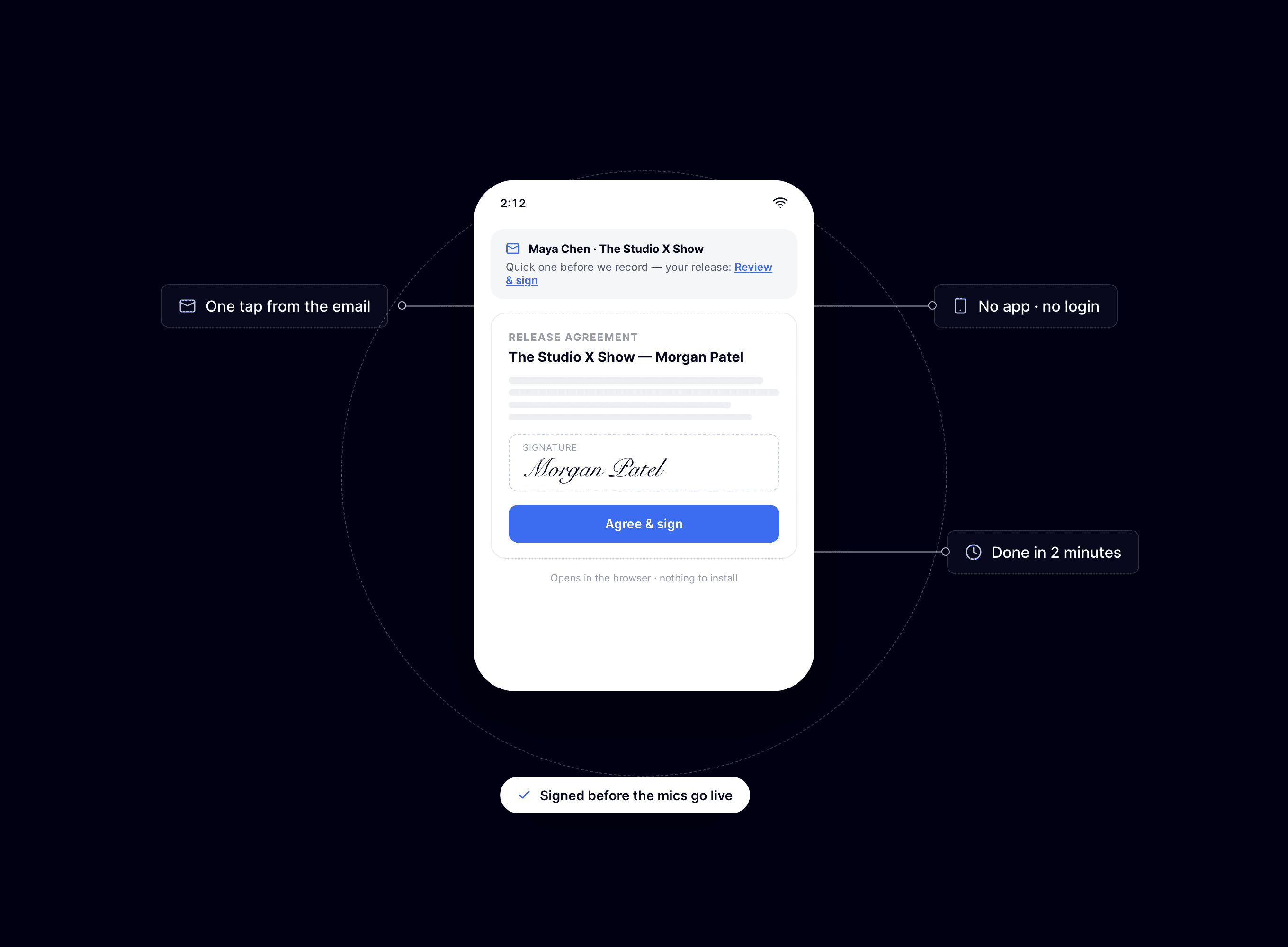
Reduce friction to one tap: a link that works on any phone, no account or printing required.
Bundle the release with the calendar invite and prep notes so it’s part of one step.
Track statuses so you nudge only the people who actually haven’t signed.
Timing: send it before you record
The moment a guest says yes to your show is the moment they’re most cooperative. They’re flattered, excited, and in “make this happen” mode. A release sent with the booking confirmation gets signed the same day more often than not.
Compare the alternatives:
At booking: routine formality, signed in minutes, recording day stays fun.
Day of recording: signable, but now it’s a distraction right before you need the guest relaxed.
After recording: you’re asking for a favor, and a guest with second thoughts can hold the episode hostage.
After publishing: the worst case — you’ve already used rights you don’t have on paper.
There’s also a quiet scheduling benefit: if a guest genuinely objects to something in the release, you find out before you’ve spent an hour recording.
Phrasing: make it boring
The word “legal” makes people freeze. The word “standard” makes them click. Your job is to present the release as the unremarkable routine it is.
Something like this works well: “Before we record, here’s our standard guest release — it just confirms we can publish and edit the episode. Takes about a minute to sign from your phone.”
A few phrasing rules:
Say what it does in plain words: permission to record, edit, and publish.
Mention how long it takes: “about a minute” removes the dread.
Call it standard: “every guest signs this” signals it isn’t targeted at them.
Don’t apologize for it: over-apologizing suggests there’s something to worry about.
Friction: the real reason guests stall
Most unsigned releases aren’t refusals — they’re abandonments. The guest opened your PDF attachment on their phone, realized they’d need to print or find a laptop, and thought “I’ll do this later.” Later never came.
The fix is making the entire task doable in the time it takes to read your email:
Send a signing link, not an attachment.
Make sure it works on a phone — that’s where most guests will open it.
Require no account creation, app download, or password.
Confirm automatically so the guest knows they’re done.
When signing takes under a minute on any device, the “later” pile empties itself.
Bundle it into one booking step
Guests handle your show admin in one sitting if you let them. Put the release link in the same message as the calendar invite, recording link, and prep questions.
One email, one sitting, everything done. Separate emails create separate chances to procrastinate — and make you look disorganized to boot.
The graceful nudge
Even with perfect timing, some releases sit unsigned. The trick to nudging without awkwardness is knowing exactly who has signed and who hasn’t, so you never nag someone who already did it.
A status view — draft, pending, signed — turns the chase into a ten-second scan. For stragglers, a short resend a day or two before recording does the job: “Quick reminder before Thursday — the release link is here if you have a spare minute.” If plans change entirely, void the agreement and move on.
Reminder that this is general information, not legal advice — if you’re unsure what your release should say, ask a lawyer.
Conclusion
Getting releases signed isn’t about persuasion — it’s about timing, tone, and friction. Send it at booking, call it standard, make it a one-tap job, and keep a status list so your nudges land only where needed.
BuzzyPod handles the mechanical half for you: a built-in guest release, a secure signing link that works on any device with no account, and at-a-glance draft/pending/signed tracking with one-click resends — all for $10/month.
Related reading
Introduction
Every host who uses release forms knows the awkward part isn’t the form — it’s the chase. You want to get podcast guests to sign a release form without feeling like a debt collector, and without a “quick paperwork thing” email thread that drags on for three weeks.
The good news: the chase is almost entirely self-inflicted. It comes from sending the form at the wrong time, phrasing it like a legal ambush, or making the signing process harder than it needs to be.
Here’s the playbook for getting releases signed quickly, politely, and without follow-up anxiety.
Key takeaway
Send the release at booking time, when guest enthusiasm is highest — never after publishing.
Frame it as routine: “standard release we send every guest” beats “legal document you must sign.”
Reduce friction to one tap: a link that works on any phone, no account or printing required.
Bundle the release with the calendar invite and prep notes so it’s part of one step.
Track statuses so you nudge only the people who actually haven’t signed.
Timing: send it before you record
The moment a guest says yes to your show is the moment they’re most cooperative. They’re flattered, excited, and in “make this happen” mode. A release sent with the booking confirmation gets signed the same day more often than not.
Compare the alternatives:
At booking: routine formality, signed in minutes, recording day stays fun.
Day of recording: signable, but now it’s a distraction right before you need the guest relaxed.
After recording: you’re asking for a favor, and a guest with second thoughts can hold the episode hostage.
After publishing: the worst case — you’ve already used rights you don’t have on paper.
There’s also a quiet scheduling benefit: if a guest genuinely objects to something in the release, you find out before you’ve spent an hour recording.
Phrasing: make it boring
The word “legal” makes people freeze. The word “standard” makes them click. Your job is to present the release as the unremarkable routine it is.
Something like this works well: “Before we record, here’s our standard guest release — it just confirms we can publish and edit the episode. Takes about a minute to sign from your phone.”
A few phrasing rules:
Say what it does in plain words: permission to record, edit, and publish.
Mention how long it takes: “about a minute” removes the dread.
Call it standard: “every guest signs this” signals it isn’t targeted at them.
Don’t apologize for it: over-apologizing suggests there’s something to worry about.
Friction: the real reason guests stall
Most unsigned releases aren’t refusals — they’re abandonments. The guest opened your PDF attachment on their phone, realized they’d need to print or find a laptop, and thought “I’ll do this later.” Later never came.
The fix is making the entire task doable in the time it takes to read your email:
Send a signing link, not an attachment.
Make sure it works on a phone — that’s where most guests will open it.
Require no account creation, app download, or password.
Confirm automatically so the guest knows they’re done.
When signing takes under a minute on any device, the “later” pile empties itself.
Bundle it into one booking step
Guests handle your show admin in one sitting if you let them. Put the release link in the same message as the calendar invite, recording link, and prep questions.
One email, one sitting, everything done. Separate emails create separate chances to procrastinate — and make you look disorganized to boot.
The graceful nudge
Even with perfect timing, some releases sit unsigned. The trick to nudging without awkwardness is knowing exactly who has signed and who hasn’t, so you never nag someone who already did it.
A status view — draft, pending, signed — turns the chase into a ten-second scan. For stragglers, a short resend a day or two before recording does the job: “Quick reminder before Thursday — the release link is here if you have a spare minute.” If plans change entirely, void the agreement and move on.
Reminder that this is general information, not legal advice — if you’re unsure what your release should say, ask a lawyer.
Conclusion
Getting releases signed isn’t about persuasion — it’s about timing, tone, and friction. Send it at booking, call it standard, make it a one-tap job, and keep a status list so your nudges land only where needed.
BuzzyPod handles the mechanical half for you: a built-in guest release, a secure signing link that works on any device with no account, and at-a-glance draft/pending/signed tracking with one-click resends — all for $10/month.
Related reading
Introduction
Every host who uses release forms knows the awkward part isn’t the form — it’s the chase. You want to get podcast guests to sign a release form without feeling like a debt collector, and without a “quick paperwork thing” email thread that drags on for three weeks.
The good news: the chase is almost entirely self-inflicted. It comes from sending the form at the wrong time, phrasing it like a legal ambush, or making the signing process harder than it needs to be.
Here’s the playbook for getting releases signed quickly, politely, and without follow-up anxiety.
Key takeaway
Send the release at booking time, when guest enthusiasm is highest — never after publishing.
Frame it as routine: “standard release we send every guest” beats “legal document you must sign.”
Reduce friction to one tap: a link that works on any phone, no account or printing required.
Bundle the release with the calendar invite and prep notes so it’s part of one step.
Track statuses so you nudge only the people who actually haven’t signed.
Timing: send it before you record
The moment a guest says yes to your show is the moment they’re most cooperative. They’re flattered, excited, and in “make this happen” mode. A release sent with the booking confirmation gets signed the same day more often than not.
Compare the alternatives:
At booking: routine formality, signed in minutes, recording day stays fun.
Day of recording: signable, but now it’s a distraction right before you need the guest relaxed.
After recording: you’re asking for a favor, and a guest with second thoughts can hold the episode hostage.
After publishing: the worst case — you’ve already used rights you don’t have on paper.
There’s also a quiet scheduling benefit: if a guest genuinely objects to something in the release, you find out before you’ve spent an hour recording.
Phrasing: make it boring
The word “legal” makes people freeze. The word “standard” makes them click. Your job is to present the release as the unremarkable routine it is.
Something like this works well: “Before we record, here’s our standard guest release — it just confirms we can publish and edit the episode. Takes about a minute to sign from your phone.”
A few phrasing rules:
Say what it does in plain words: permission to record, edit, and publish.
Mention how long it takes: “about a minute” removes the dread.
Call it standard: “every guest signs this” signals it isn’t targeted at them.
Don’t apologize for it: over-apologizing suggests there’s something to worry about.
Friction: the real reason guests stall
Most unsigned releases aren’t refusals — they’re abandonments. The guest opened your PDF attachment on their phone, realized they’d need to print or find a laptop, and thought “I’ll do this later.” Later never came.
The fix is making the entire task doable in the time it takes to read your email:
Send a signing link, not an attachment.
Make sure it works on a phone — that’s where most guests will open it.
Require no account creation, app download, or password.
Confirm automatically so the guest knows they’re done.
When signing takes under a minute on any device, the “later” pile empties itself.
Bundle it into one booking step
Guests handle your show admin in one sitting if you let them. Put the release link in the same message as the calendar invite, recording link, and prep questions.
One email, one sitting, everything done. Separate emails create separate chances to procrastinate — and make you look disorganized to boot.
The graceful nudge
Even with perfect timing, some releases sit unsigned. The trick to nudging without awkwardness is knowing exactly who has signed and who hasn’t, so you never nag someone who already did it.
A status view — draft, pending, signed — turns the chase into a ten-second scan. For stragglers, a short resend a day or two before recording does the job: “Quick reminder before Thursday — the release link is here if you have a spare minute.” If plans change entirely, void the agreement and move on.
Reminder that this is general information, not legal advice — if you’re unsure what your release should say, ask a lawyer.
Conclusion
Getting releases signed isn’t about persuasion — it’s about timing, tone, and friction. Send it at booking, call it standard, make it a one-tap job, and keep a status list so your nudges land only where needed.
BuzzyPod handles the mechanical half for you: a built-in guest release, a secure signing link that works on any device with no account, and at-a-glance draft/pending/signed tracking with one-click resends — all for $10/month.

